SVG is a vector format: instead of pixels, it stores instructions for drawing shapes, so it scales to any size without blurring. That makes it perfect for logos and icons during design — but it's also why so many places refuse it. Photos won't import an SVG, most social platforms reject it, email clients won't preview it, and plenty of apps and templates only accept a flat pixel image. To actually use the artwork, you need to rasterize it into a PNG.
Filemorph handles that on your iPhone, and the key advantage of starting from a vector is that you choose the output resolution. Need a 64-pixel app glyph, a 512-pixel store icon and a 1024-pixel hero asset from the same SVG? Set the dimensions for each export and every PNG comes out razor-sharp, because the vector is drawn fresh at that size rather than scaled up from a smaller bitmap. Transparency carries over too, so logos keep their clean edges. Nothing is uploaded — the rasterizing happens entirely on-device.
How to convert SVG to PNG on iPhone
Free
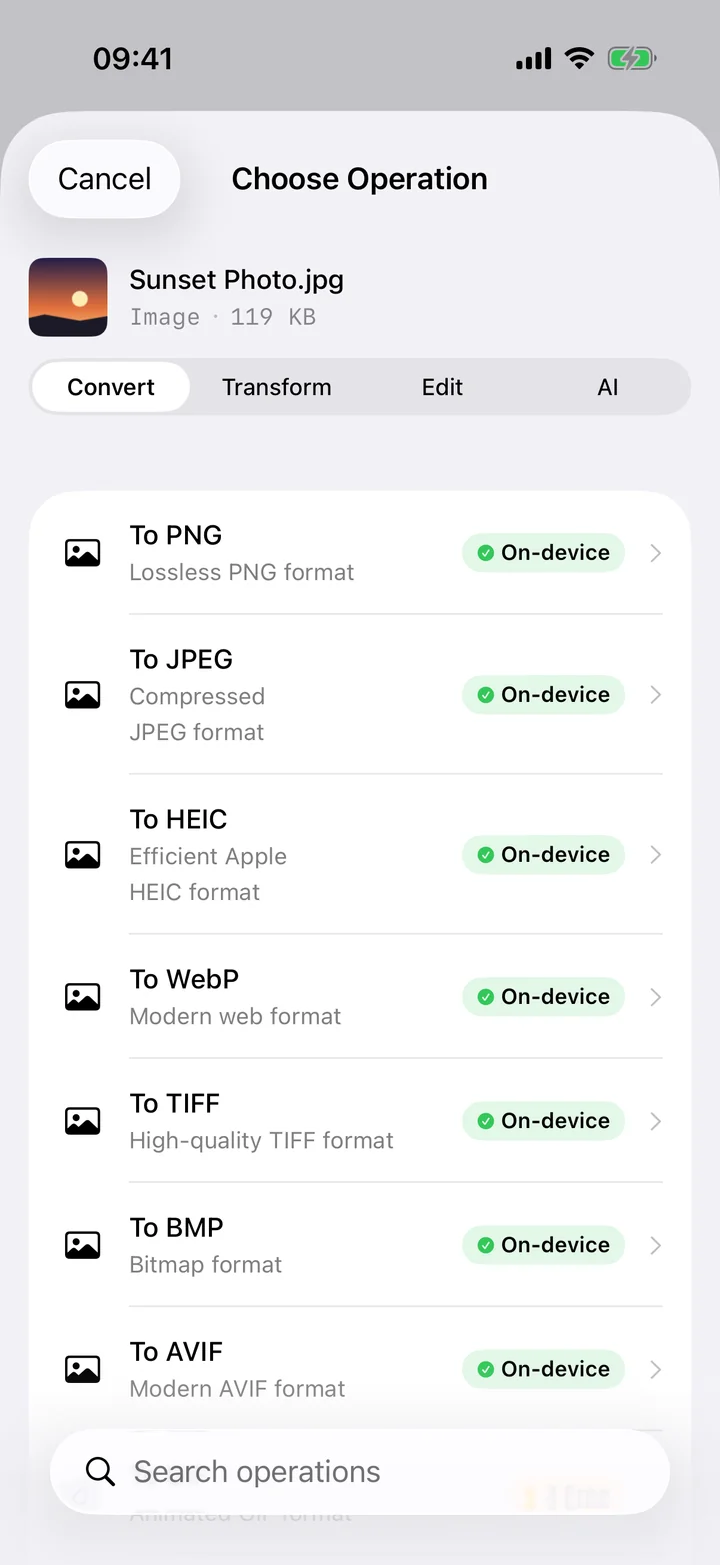
- Add your SVG. Open Filemorph and pick the SVG file from Files or the Share sheet.
- Choose PNG and size. Tap Convert, choose PNG, and set the output dimensions so the vector rasterizes crisply at the resolution you need.
- Save or share. Tap Convert. The PNG is saved locally with a transparent background where the SVG had one.
Why convert SVG to PNG?
PNG is the format apps, uploads and image libraries actually accept, and it preserves transparency for clean icons and logos. Rasterizing from SVG lets you produce a pixel asset at exactly the size you need — favicons, app icons, store graphics, slide images — without the blur you'd get from enlarging a small bitmap. It's the bridge between vector design work and the pixel world everything else lives in.
Is it private?
Yes. SVG files are often unreleased logos, brand marks or work-in-progress design assets — exactly the kind of thing you shouldn't hand to a web converter. Filemorph rasterizes the vector on your iPhone, so your artwork is never uploaded to a server, and the whole process works offline.