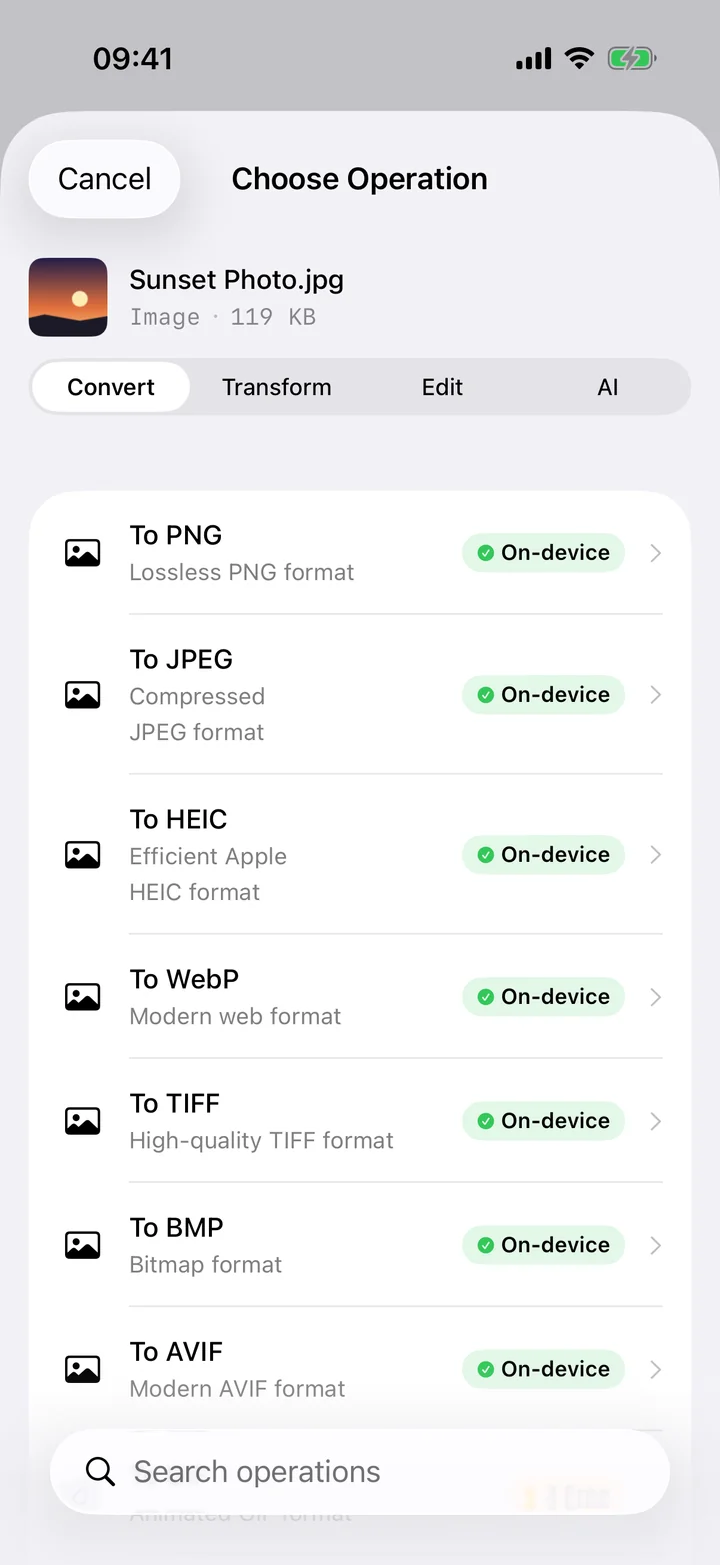
WebP is Google's image format, designed to make web pages load faster, and these days a huge share of pictures you save from Safari or Chrome arrive as .webp files. That's great for the websites serving them, but it's a headache once the file is on your iPhone: plenty of editors, messaging apps and older software simply don't know what to do with WebP, so the image refuses to open, can't be cropped, or won't attach. Converting to JPG turns that orphaned download into an image every app understands.
Filemorph decodes the WebP and re-encodes it as a standard JPEG using Apple's ImageIO framework, all on your iPhone. Send the file in from the Share sheet or pick it from Files, choose JPG, optionally nudge the quality, and you get a clean, universally compatible image back in seconds. No account, no upload, and it works even when you're offline.
How to convert WebP to JPG on iPhone
Free
- Add your WebP. Open Filemorph and pick the WebP image from Files or send it in via the Share sheet from Safari.
- Choose JPG. Tap Convert and choose JPEG as the output format. Optionally set the quality.
- Save or share. Tap Convert. The JPG saves locally and now opens in Photos and any editor.
Why convert WebP to JPG?
WebP exists to shrink images for the web, not to be edited or shared between apps. JPG is the opposite — it's the format every device, editor, printer and upload form expects. Converting a downloaded WebP to JPG means you can finally add it to Photos, drop it into a document, send it in a message, or use it in an app that rejected the WebP outright.
Is it private?
Yes. Browser-based "WebP to JPG" sites require an upload, which is an odd ask for an image you already downloaded. Filemorph never uploads anything — it converts the WebP locally with Apple's ImageIO and the result stays on your iPhone. The whole process runs without a network connection.