Sending a sensitive PDF by email or Messages means it can sit in someone else's inbox indefinitely. A password does not stop the file from being forwarded, but it does mean it cannot be opened by whoever it lands with next, unless they also have the password.
Filemorph encrypts the PDF using Apple's PDFKit, with an open password required to view the file, a separate permissions password that restricts printing or editing, or both together. Encryption and the password itself never leave your device — Filemorph is not a server the file passes through.
How to password-protect a PDF on iPhone
Pro
- Add your PDF. Open Filemorph and pick the PDF from Files, Photos or the Share sheet.
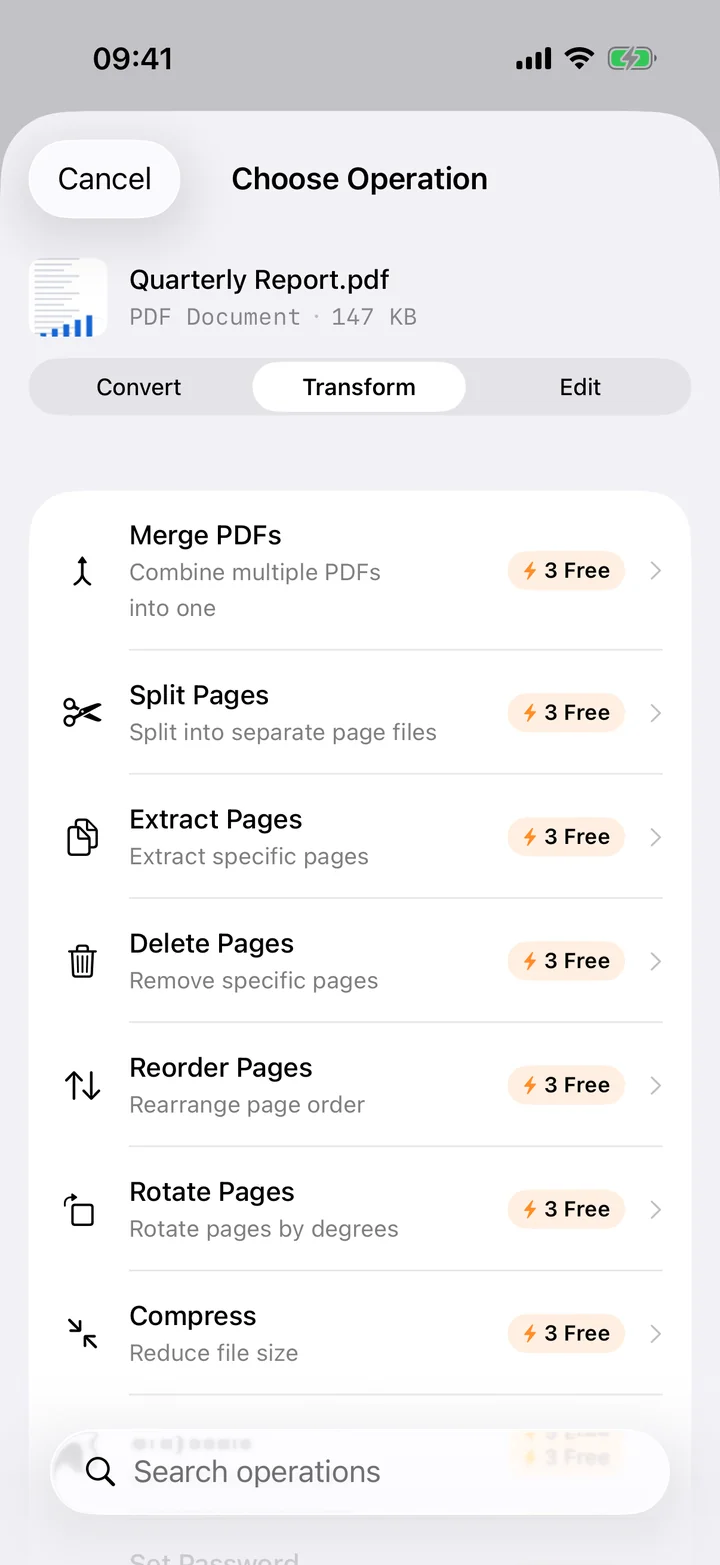
- Choose Set Password. Tap Transform, choose Set Password, then set an open password, a permissions password, or both.
- Save or share. Tap Convert. The protected PDF saves locally — anyone opening it will need the password you set.
In the app: Transform → Set Password.
Why password-protect a PDF?
A password is the difference between a file that opens for anyone who receives it and one that only opens for someone who has the password you shared separately. It is a reasonable baseline for tax documents, contracts, medical records and anything else you would not want a stranger to read if the file ended up in the wrong inbox.
Is it private?
Yes. Unlike web converters that upload your files to a server, Filemorph converts every file locally using Apple's frameworks. Nothing leaves your device, and it works with no internet connection. This operation is part of Filemorph Pro ($29.99/year, 7-day free trial on monthly and annual plans).